Concierge and reception
Keep arrivals moving
Receive parcels, search waiting items and complete collections without opening subscriptions or site administration.
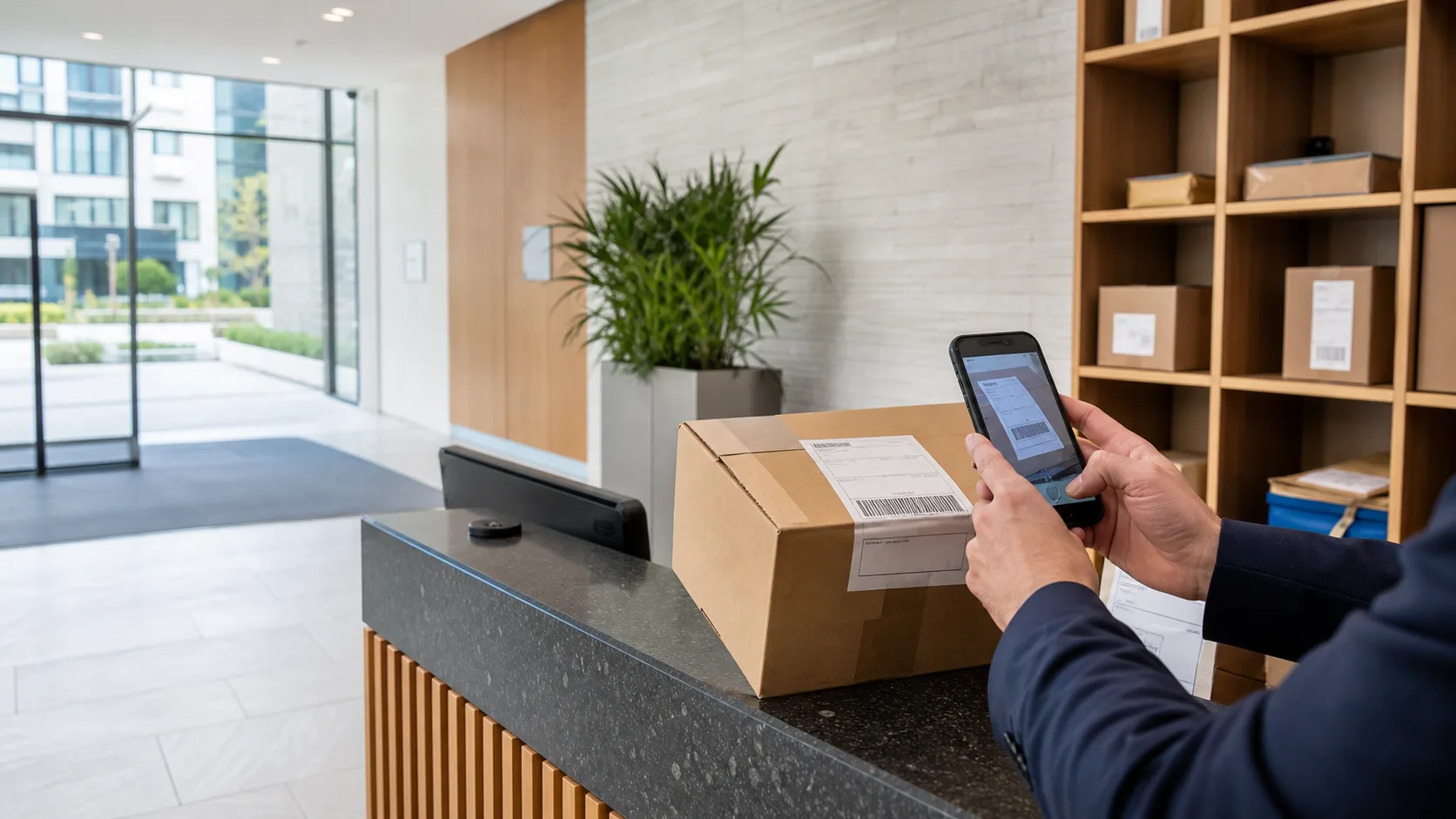
For residential buildings
Receive parcels, confirm the right resident, send an optional arrival notice and complete collection with a signature and searchable handover record.
Use a supported iOS or Android device. No parcel locker or specialist scanner required.
A calmer parcel desk
Paper sheets and disconnected messages make simple questions difficult: did the parcel arrive, was the resident told, and who collected it? LobbyPost keeps the answer attached to one parcel history without adding owner controls to the staff workflow.
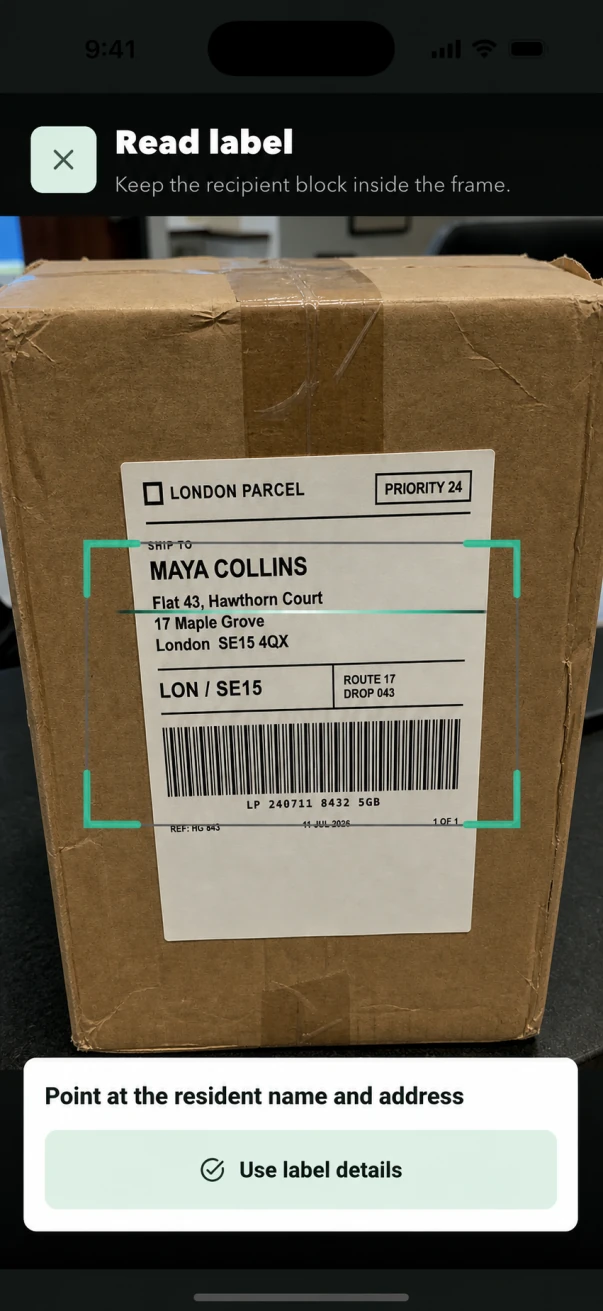
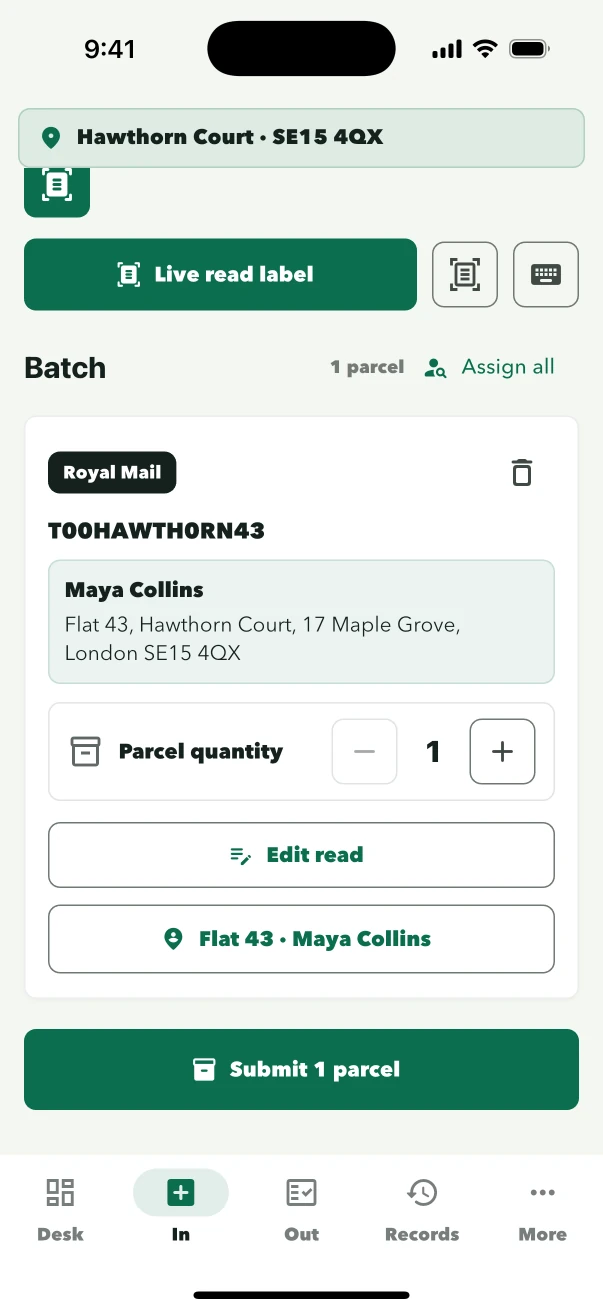
Staff frame the recipient block, review the suggested household and confirm the intake. Unclear labels can be entered manually.
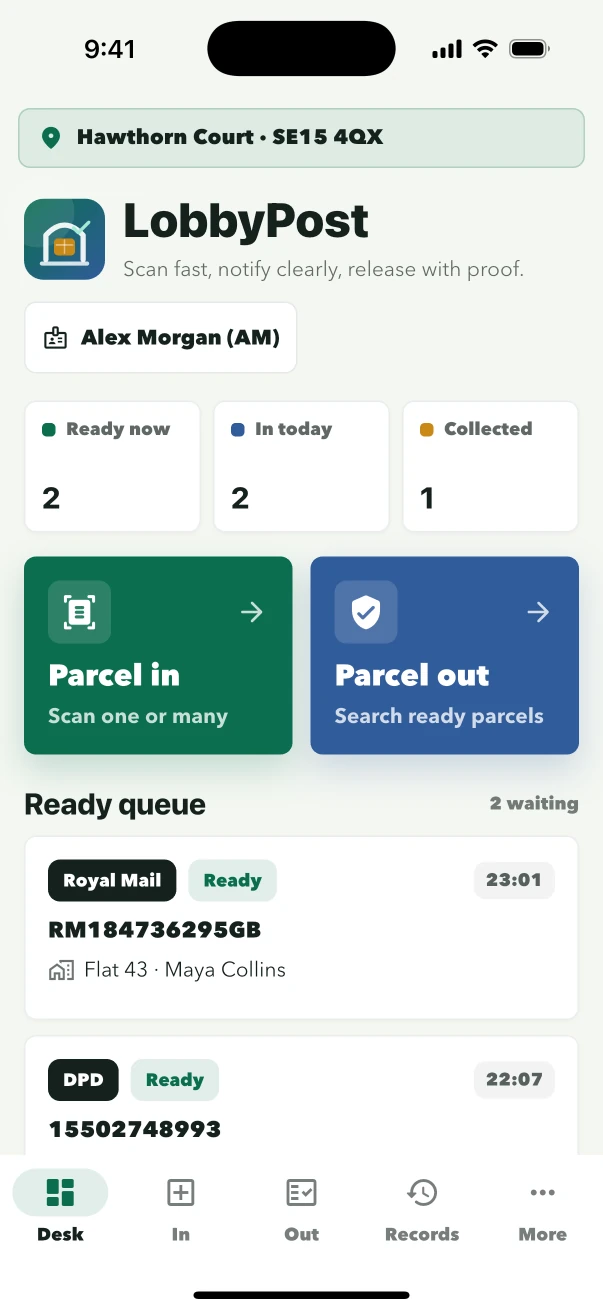
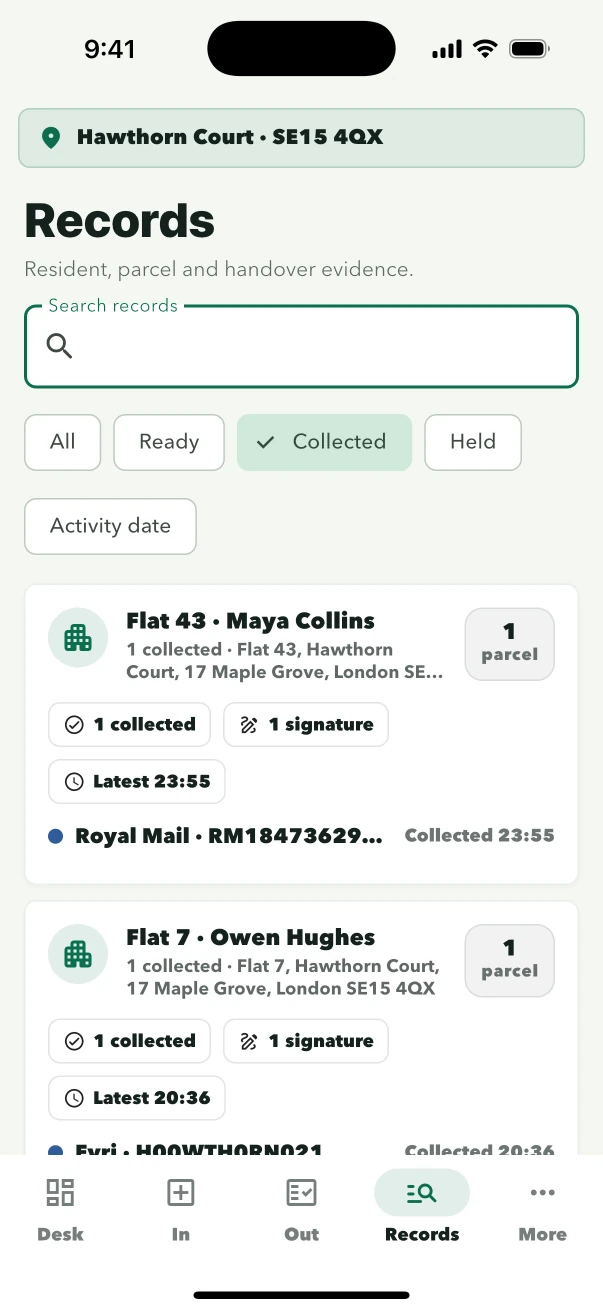
Ready parcels stay searchable by resident and parcel details, including households with more than one item waiting.
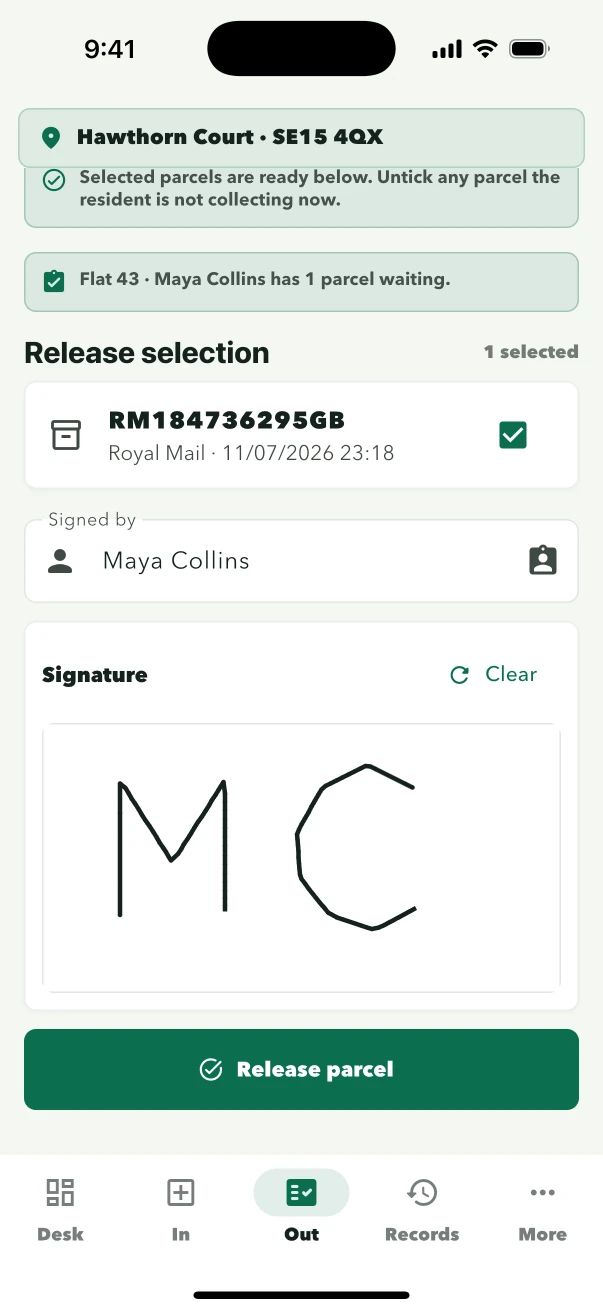
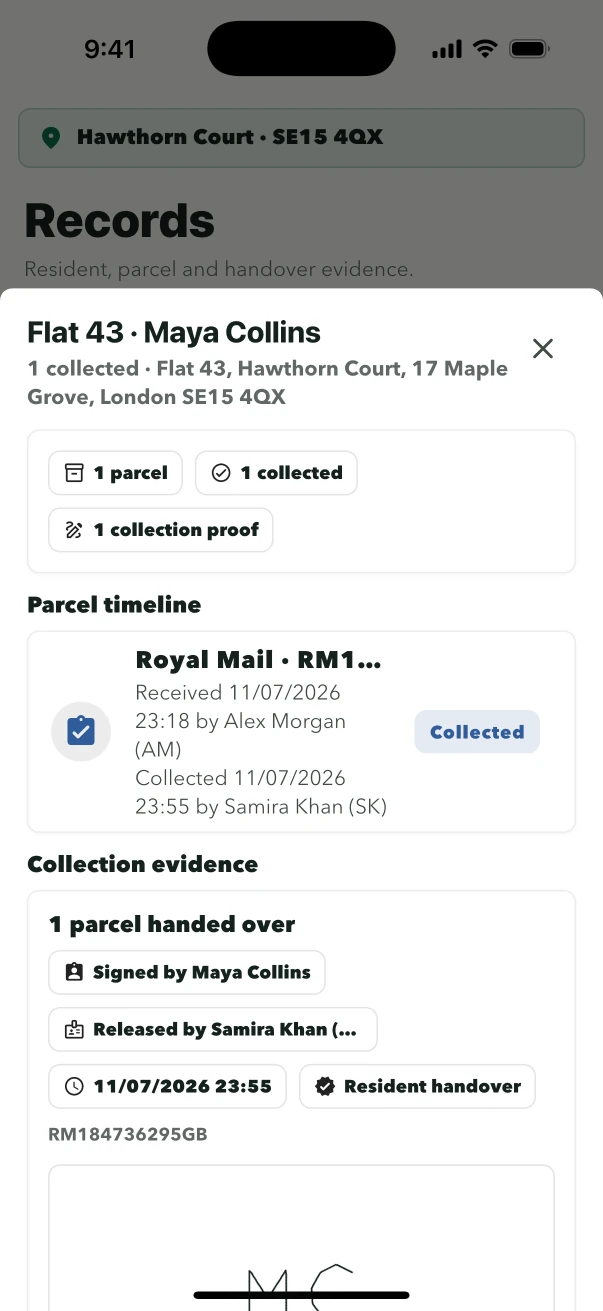
Staff select the parcel, record the collector and capture the signature before completing the release.
Built in desk order
The mobile flow follows the order reception already works in. Staff see the resident context before saving an arrival and the exact parcel selection before asking for a collection signature.
Use the device camera to frame the name and address block, or enter the details manually.
Review the suggested resident or choose another before the record is created.
Choose the waiting parcel, identify the collector and capture the collection signature.
Designed for reception
LobbyPost separates the account owner, the building device and the staff member using it. Each role sees the controls needed for its job.
Concierge and reception
Receive parcels, search waiting items and complete collections without opening subscriptions or site administration.
Building managers
Create building access, manage authorised devices and decide whether resident email is appropriate for the site.
Residents
Residents do not need a LobbyPost account. Staff find the parcel and complete the handover at reception.
Collection evidence
Arrival and release stay connected, so the desk can review what was handled without piecing together a paper log, an email and a separate signature sheet.
No specialist parcel hardware
LobbyPost is software for buildings where authorised staff receive and release parcels. It works with the site's existing storage procedure rather than requiring a locker installation or courier kiosk.
Authorise a supported phone or tablet for the reception team.
Continue intake when a damaged or handwritten label cannot be read cleanly.
The core desk workflow remains available on the site device during an internet interruption.
Parcel intake and release continue normally when resident notices are off.
Residential parcel software questions
Practical answers about hardware, resident communication and the collection record.
No. LobbyPost supports a staffed parcel workflow on an authorised iOS or Android device. Staff use its camera for label reading and can enter parcel details manually.
No. LobbyPost is operated by the owner and authorised building staff. Residents collect at the desk and can sign on the reception device.
Yes. Resident parcel email is optional per site and is off by default. Intake, search, collection and records continue when it is disabled.
The parcel selection, collector, collection time, staff profile, release method and captured signature remain with the handover record.
The device signs in to the building with its site credentials. The person on duty then selects their own staff profile inside the app.
Replace the parcel log
Create the owner account, connect the first site and test parcel arrival, resident matching and signed collection with your reception team.