Product tour
See how LobbyPost handles a parcel from arrival to collection.
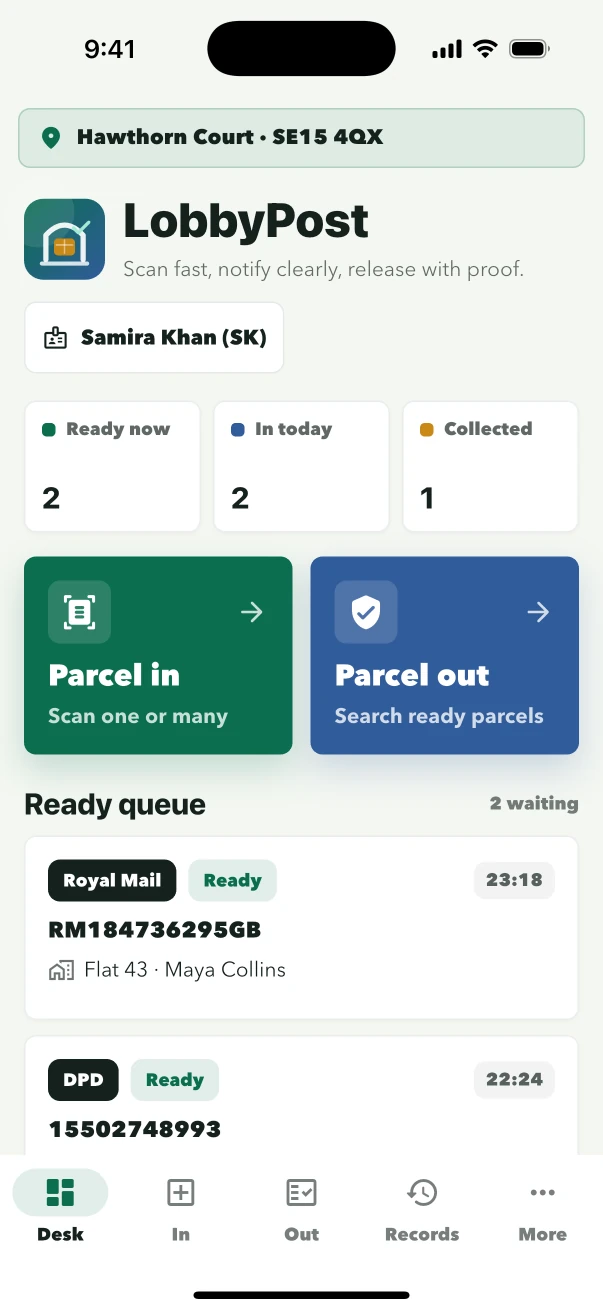
Follow the same sequence reception staff use: connect the site, choose the person on duty, receive the parcel, complete the handover and retrieve the record.
- 5
- core reception tasks
- Site to staff
- separate access roles
- App screens
- shown throughout
Reception workflows
Choose the task you want to see.
Follow each task in the same order staff use it at the desk, from site access to the completed handover record.
Site access
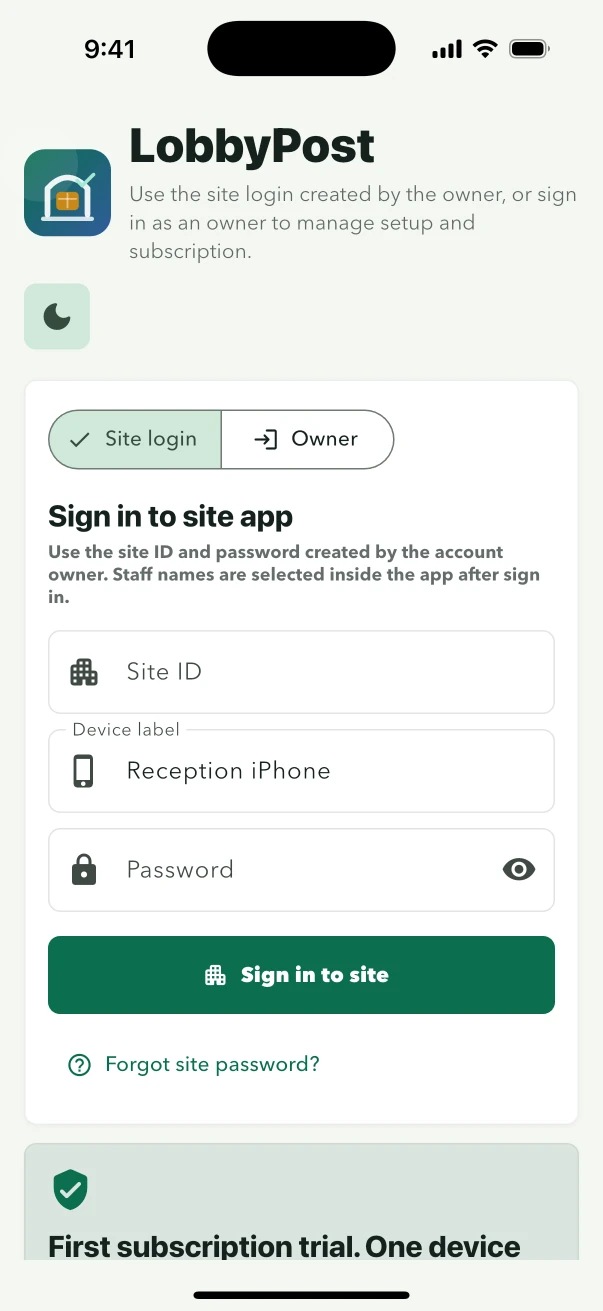
Sign in to the building, then choose the person on duty.
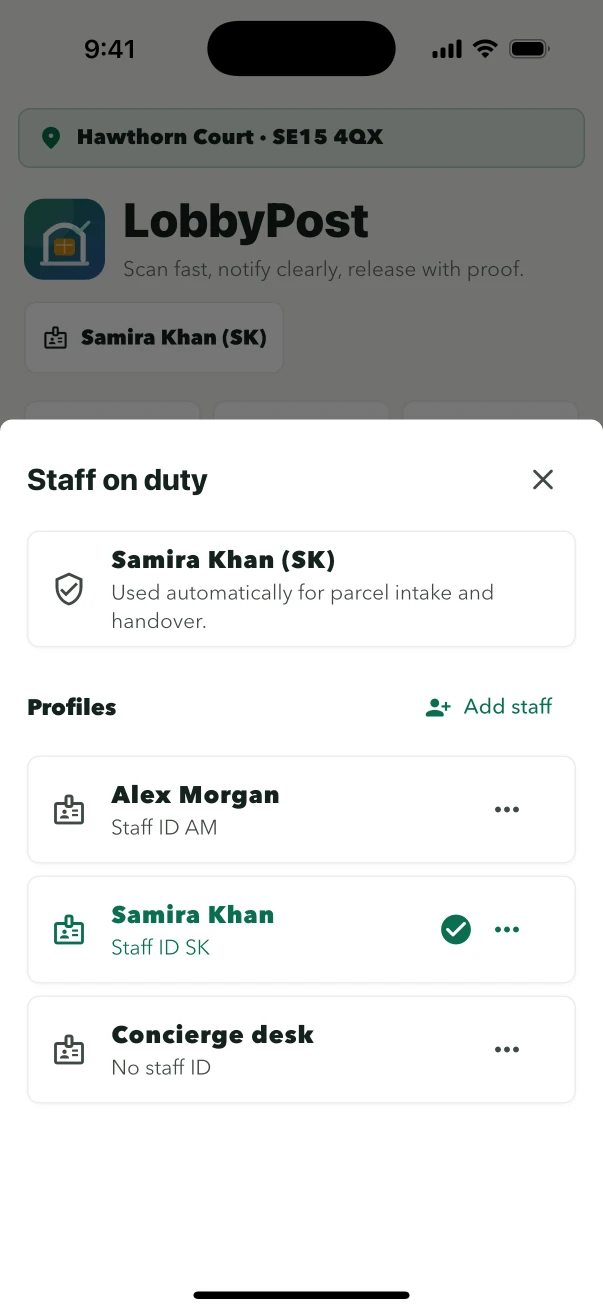
The site ID connects the device to one building. Each staff member chooses their own profile so actions remain attributable.
- Enter the site loginUse the owner-issued site ID and password.
- Choose your profileThe building stays signed in between shifts.
- Switch at handoverSelect the next person without signing the device out.
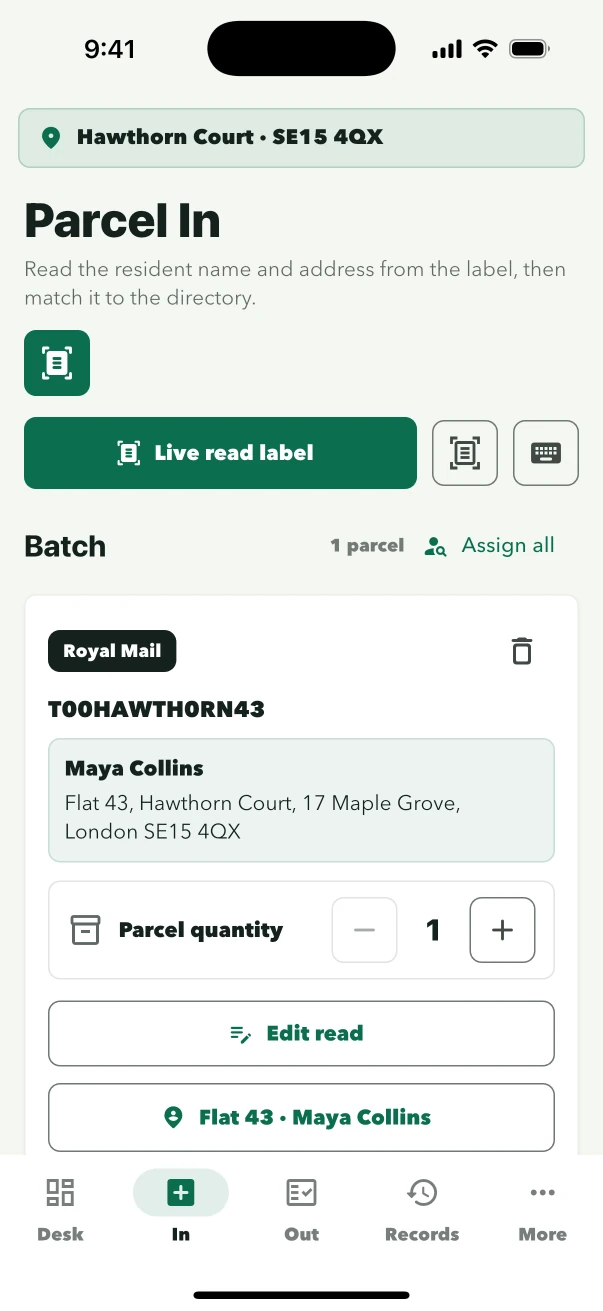
Parcel In
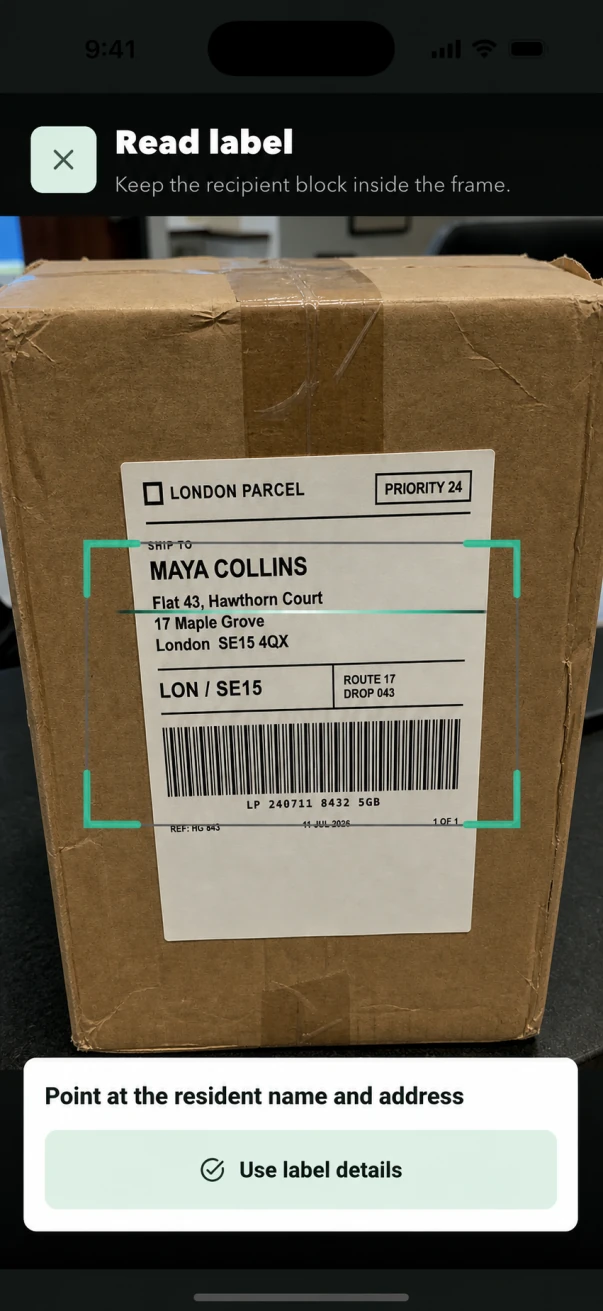
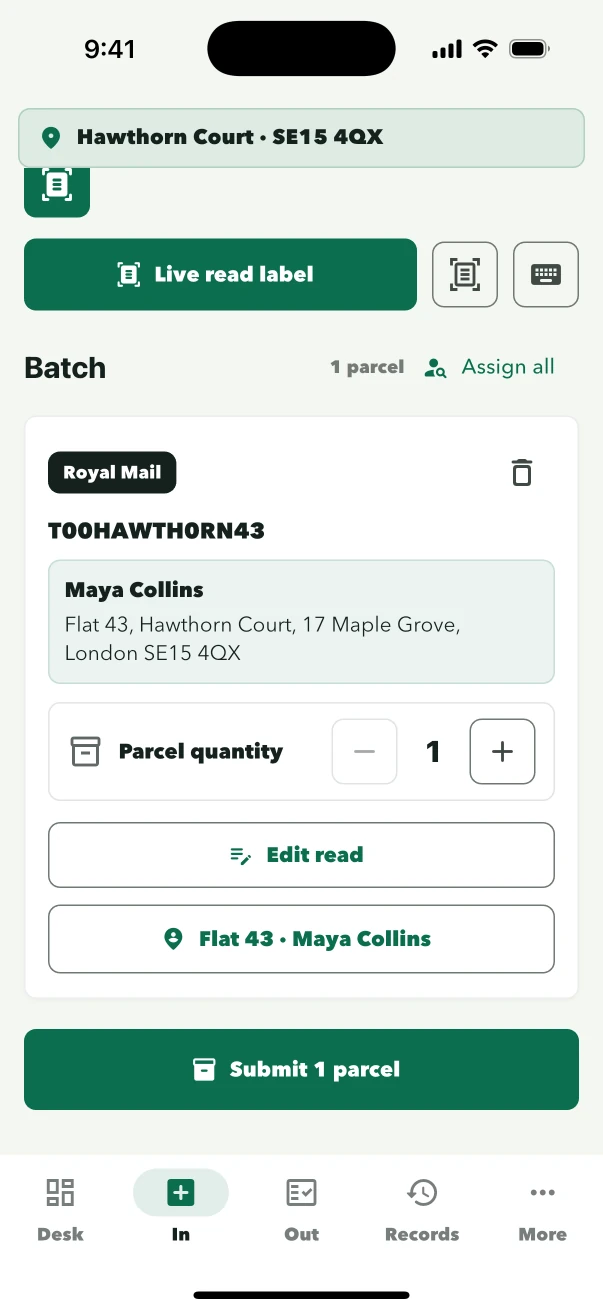
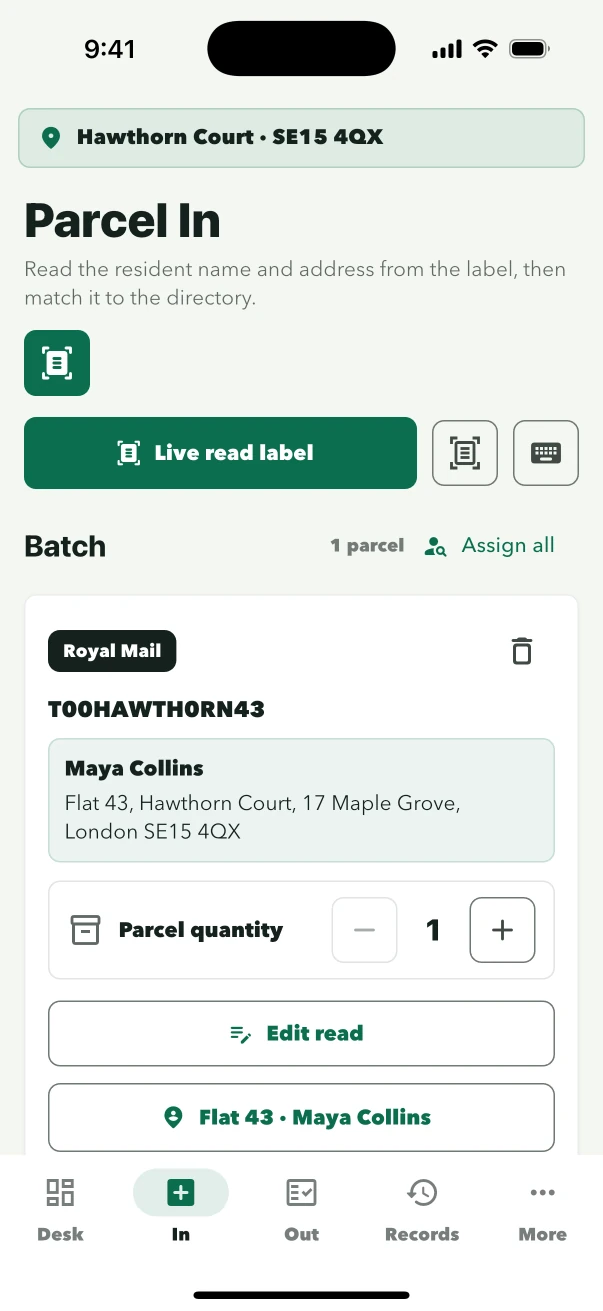
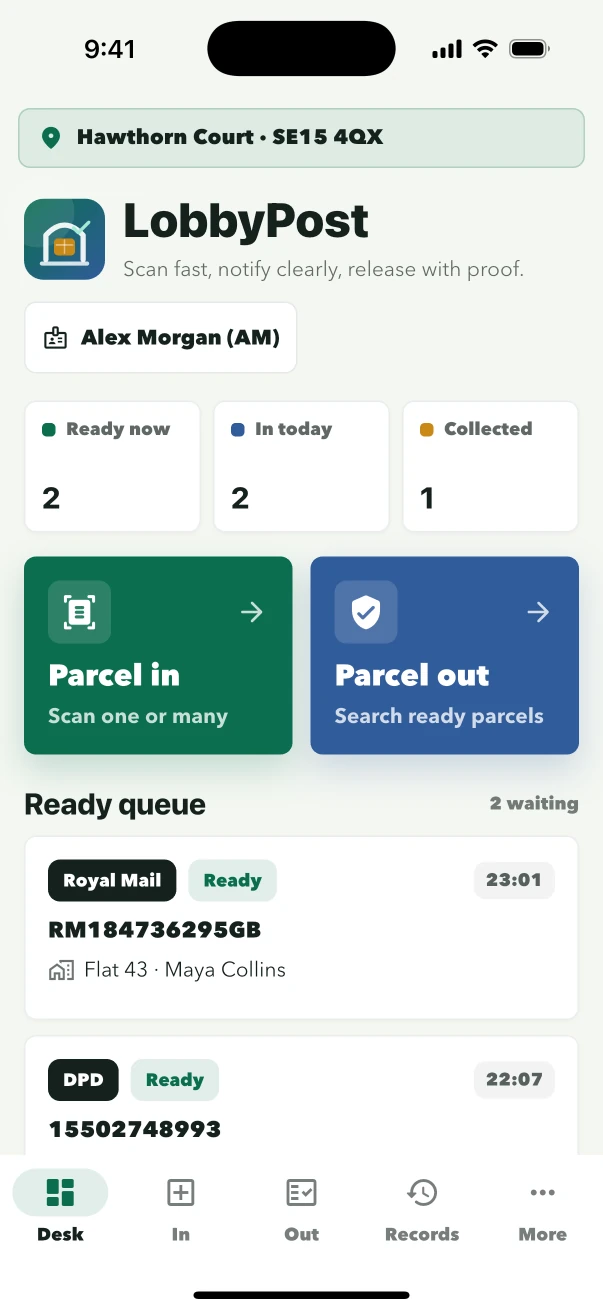
Frame the label, confirm the resident, save once.
LobbyPost reads the recipient block while the parcel is in front of staff. The suggested resident is reviewed before intake is saved.
- Frame the recipient blockManual entry remains available for unclear labels.
- Review the residentConfirm name, flat and building.
- Submit intakeThe parcel moves straight to the ready queue.
Parcel Out
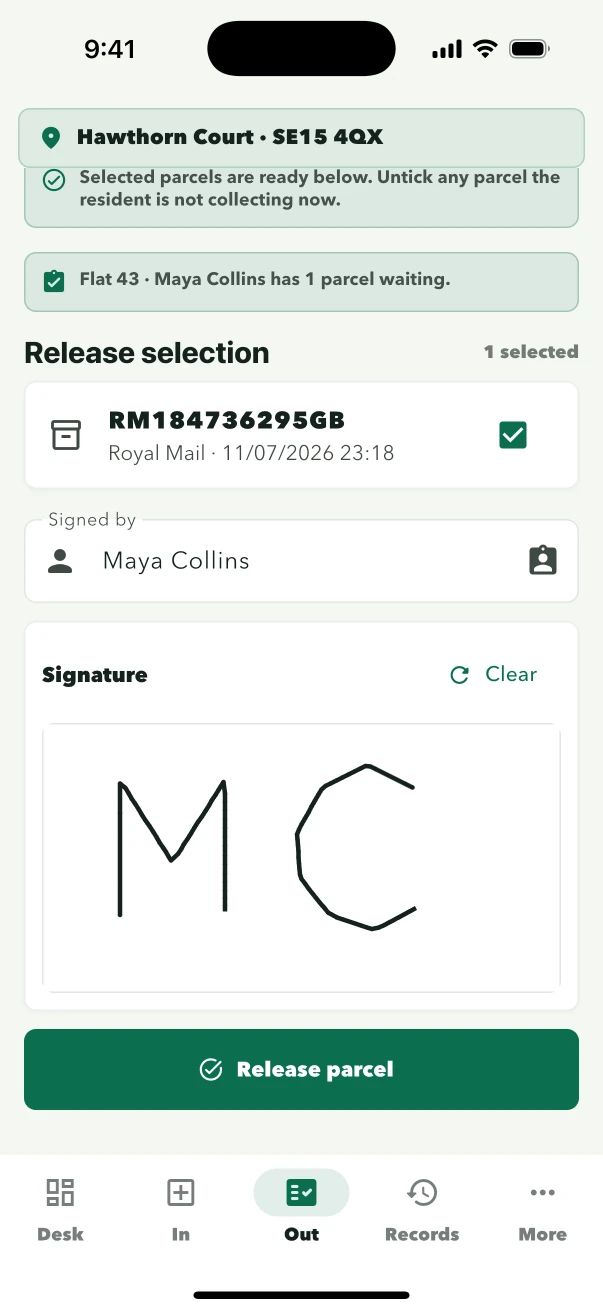
Find the parcel and close the handover with proof.
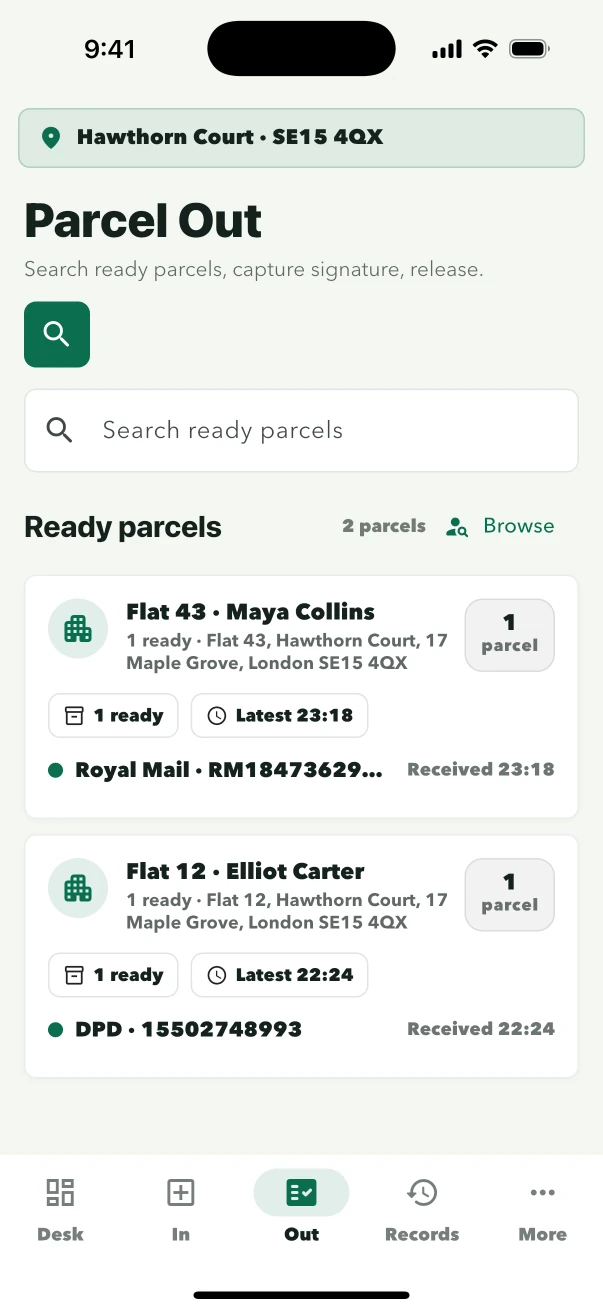
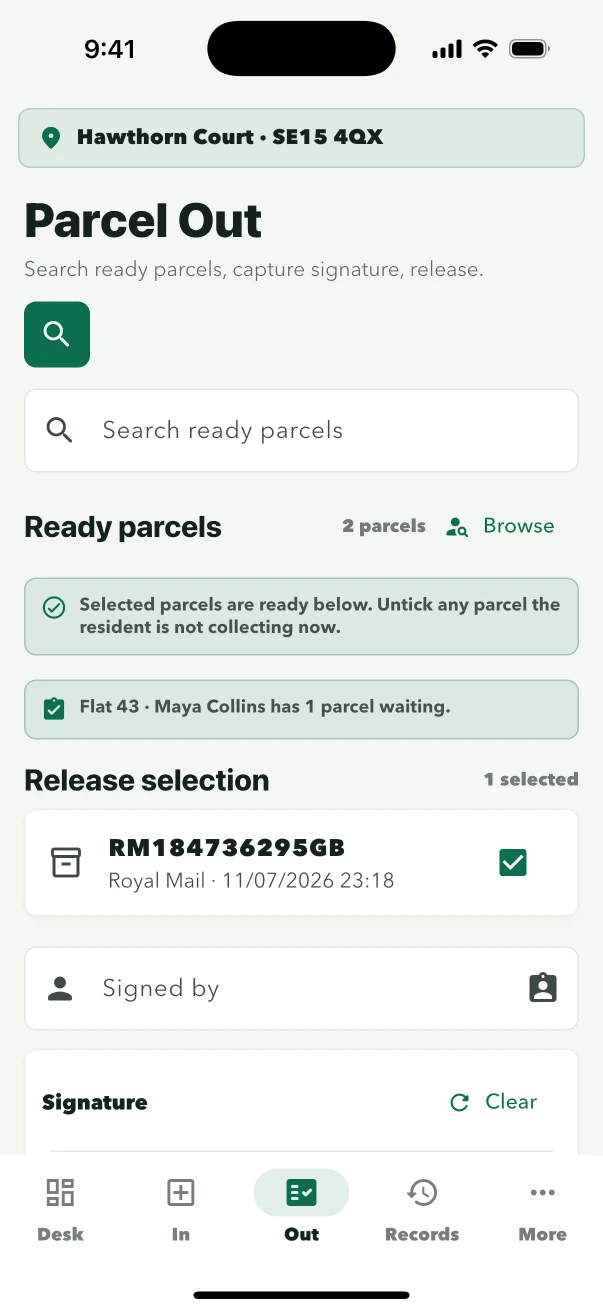
Staff select the waiting parcel, confirm the collector, capture the signature and complete the release in one sequence.
- Find the waiting parcelSearch by resident or browse the ready list.
- Capture collection proofRecord the collector name and signature.
- Complete the releaseThe parcel leaves the ready queue.
Records
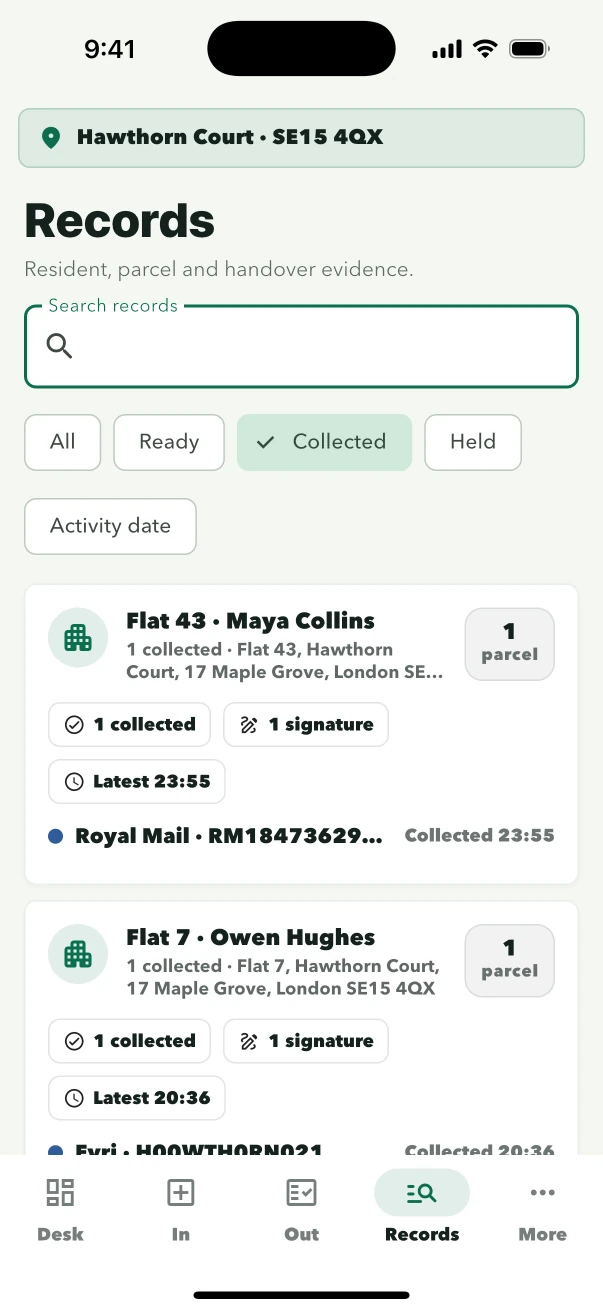
Find the parcel history and its handover evidence.
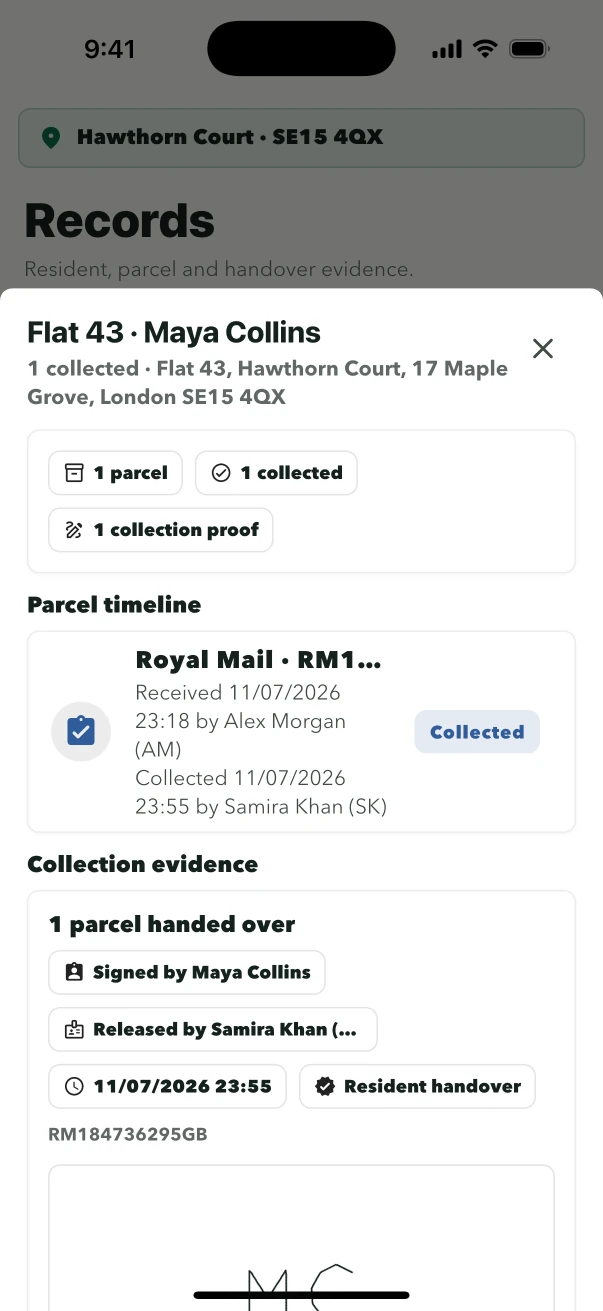
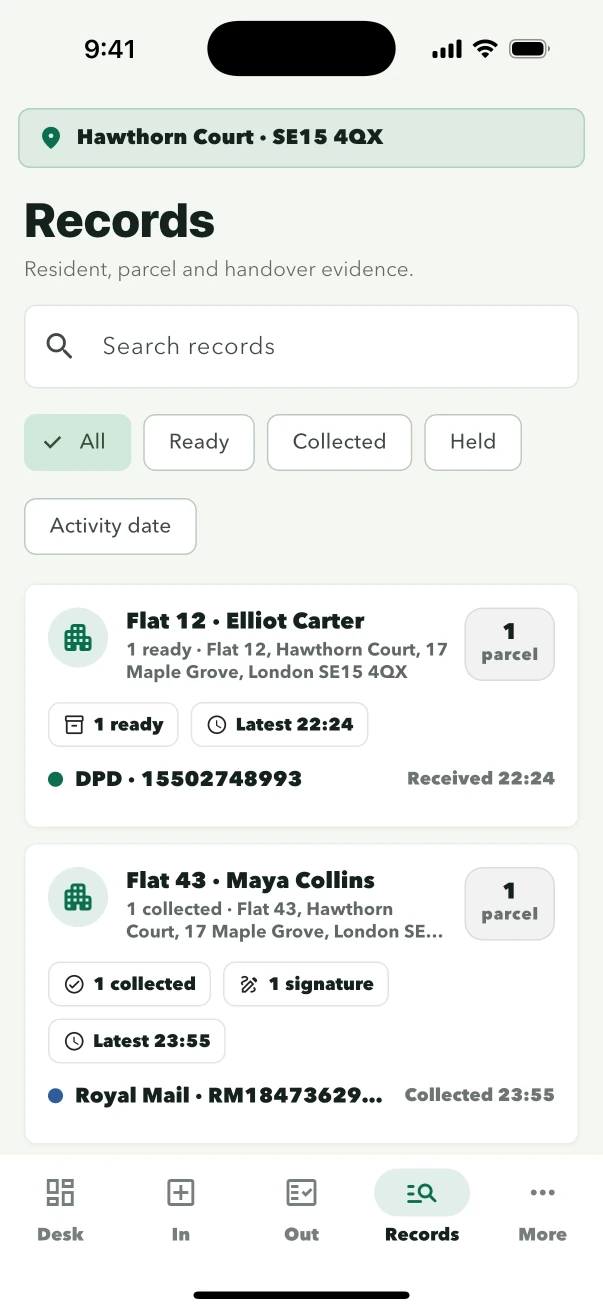
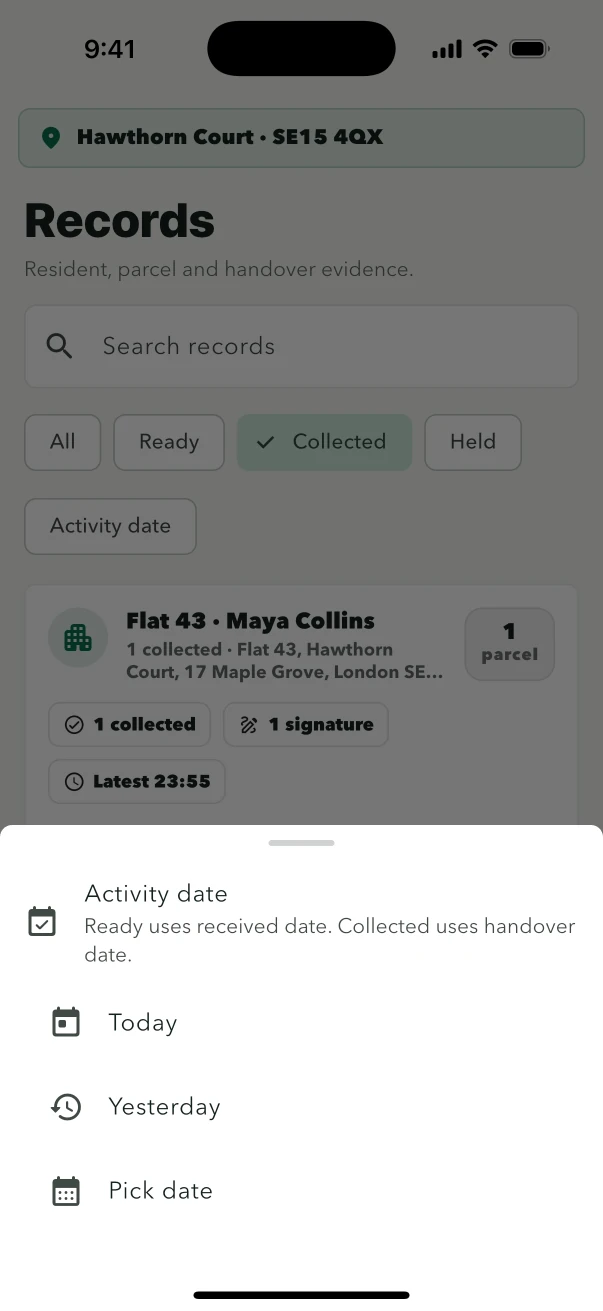
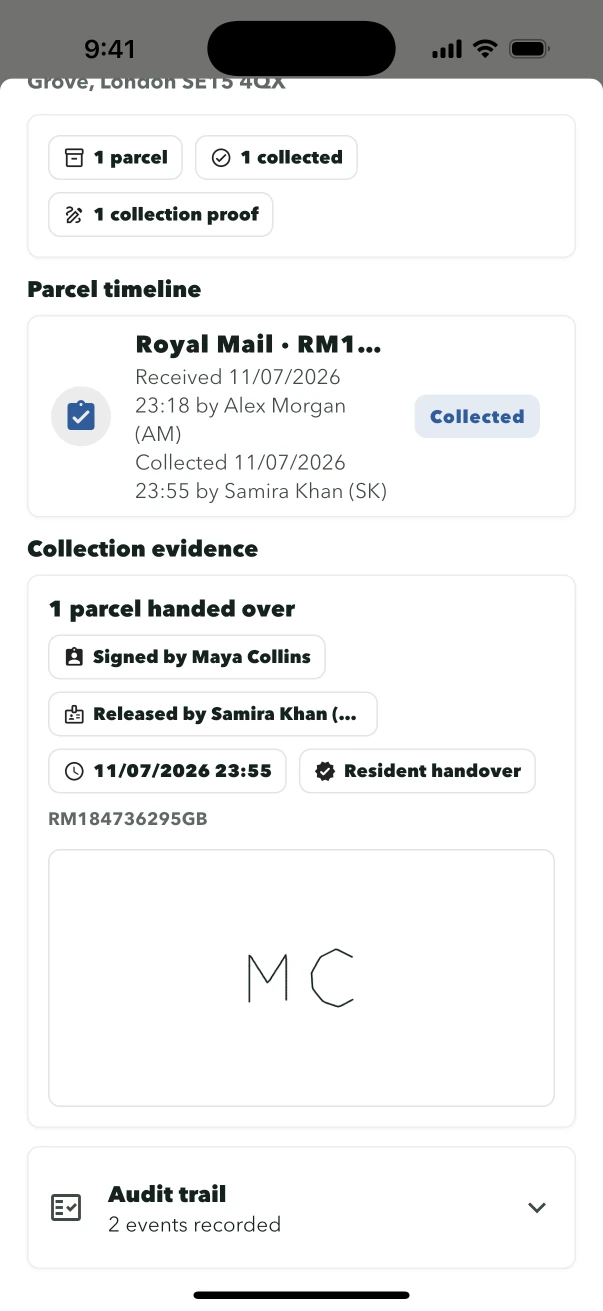
Search by resident or parcel details, narrow the activity date, and review the complete received and collected timeline.
- Search the historyUse resident, parcel, status or activity date.
- Review the timelineReceived and collected actions stay connected.
- Open the signatureCollection proof remains one tap away.
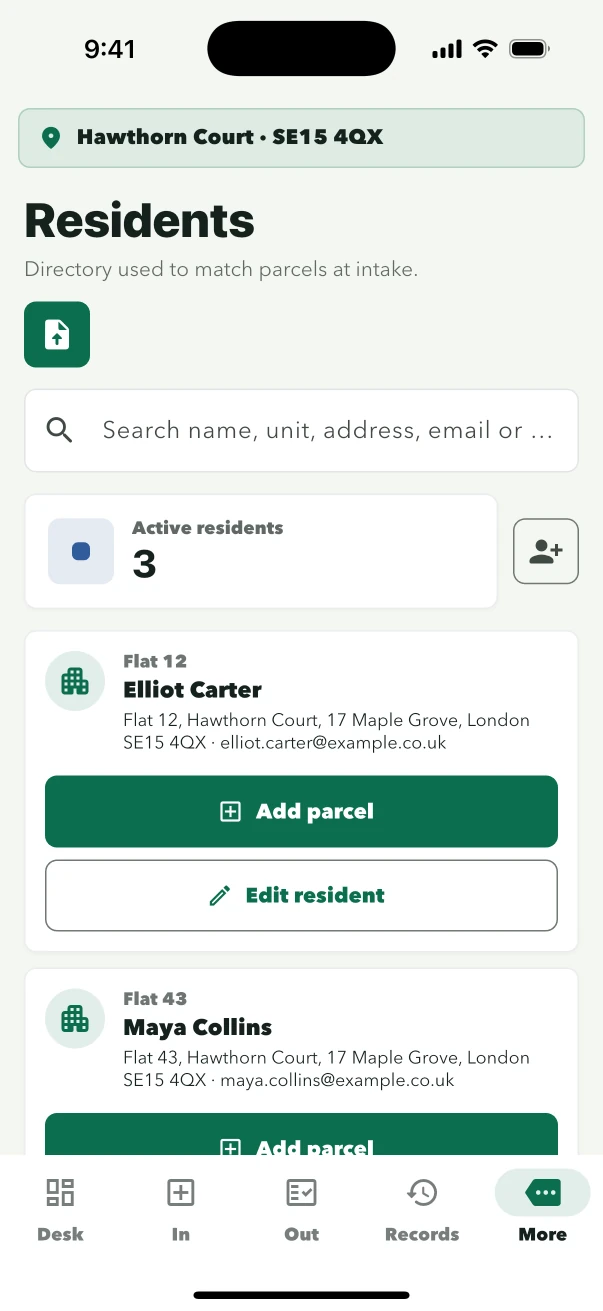
Residents
Keep the directory ready for reliable matching.
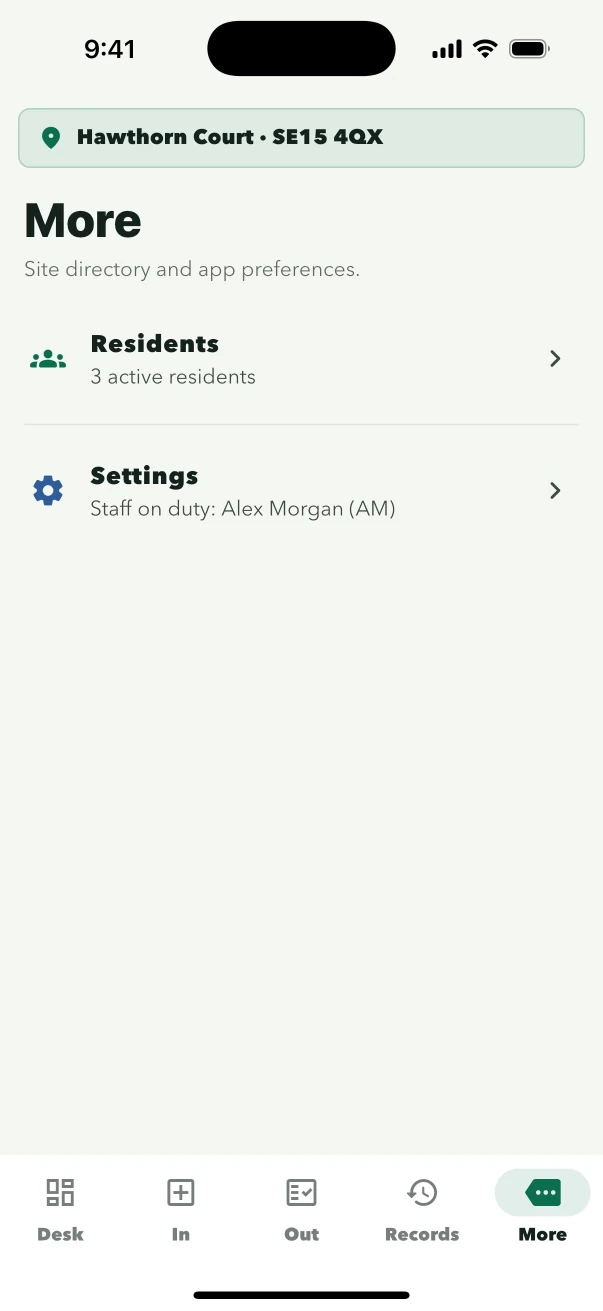
Names, flats and building details stay together so staff can distinguish similar residents and begin intake from the right household.
- Open the directoryResidents remain inside the site app.
- Check the householdConfirm name, flat and full address.
- Start from the residentBegin Parcel In from the correct record.
Site policy
Resident email remains optional.
Parcel intake, signature, release and audit history continue normally when email is off. Only the owner can enable notifications for an individual site.
Off by defaultFor owners
Setting up a site?
Signed-in owners can open Help & Setup for site credentials, authorised devices, resident email and billing.