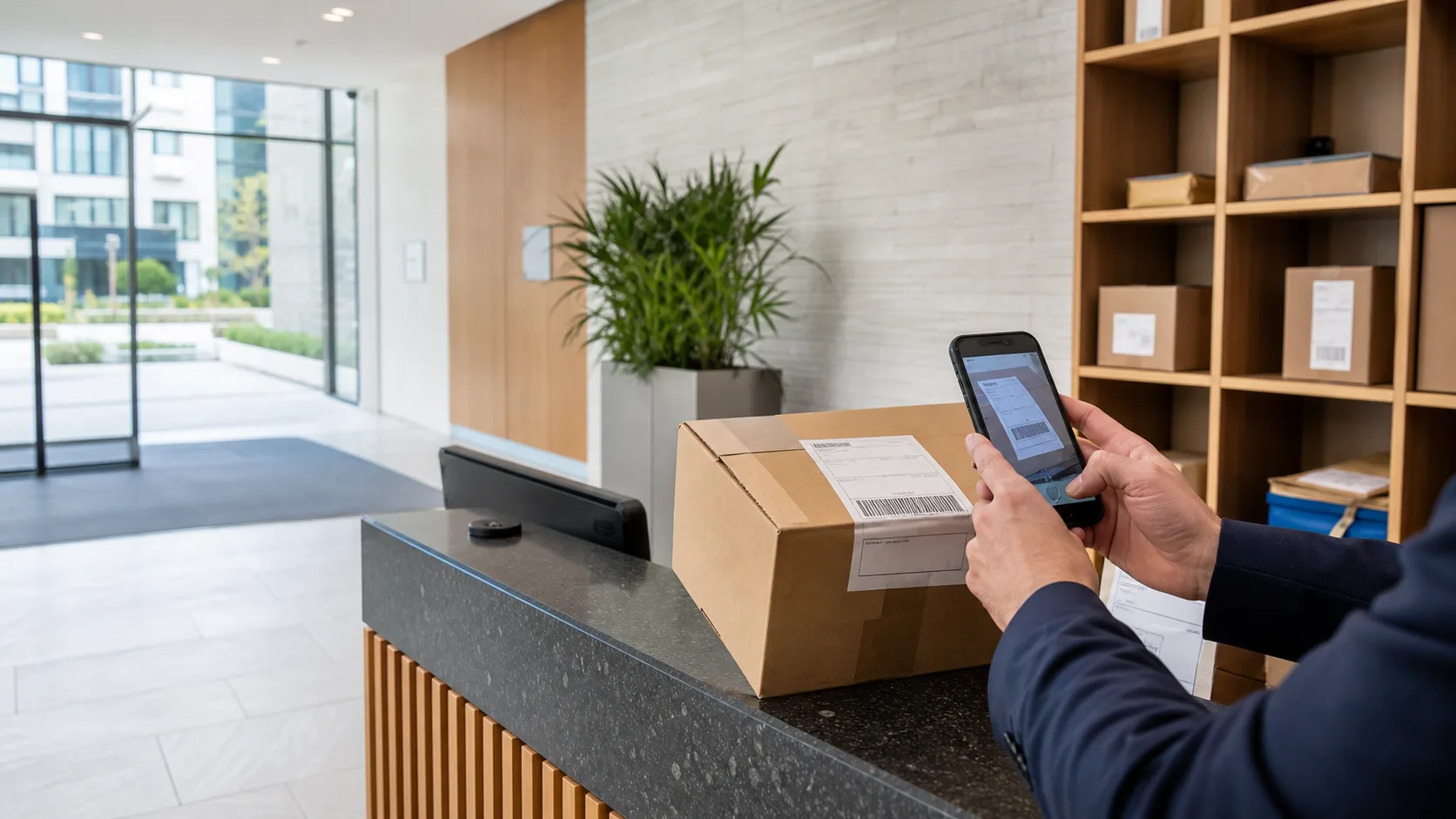
For Build to Rent operations
A consistent parcel workflow for every Build to Rent front desk.
Give concierge teams a quick way to receive parcels, match changing resident households and record each collection without placing portfolio administration in the staff app.
Designed for staffed residential sites using authorised iOS and Android devices.
Built for daily operations
Standardise the process without slowing the desk.
A Build to Rent parcel process has to survive delivery peaks, shift changes and resident moves. LobbyPost keeps the operational steps short while giving the owner a separate place to manage each site's access and capacity.
- One site context
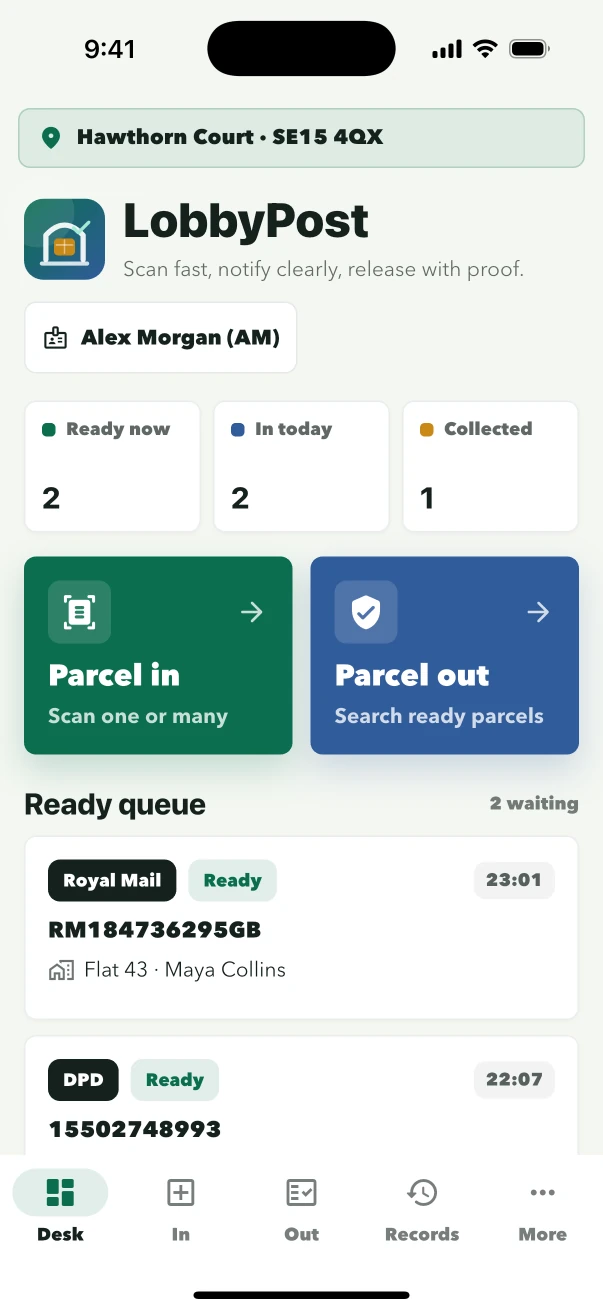
The reception device opens the correct building through its site login, keeping the active resident directory and parcel queue in view.
- Named staff actions
The person on duty selects their profile inside the app, so parcel intake and release are not attributed to a generic building login.
- Clear collection state
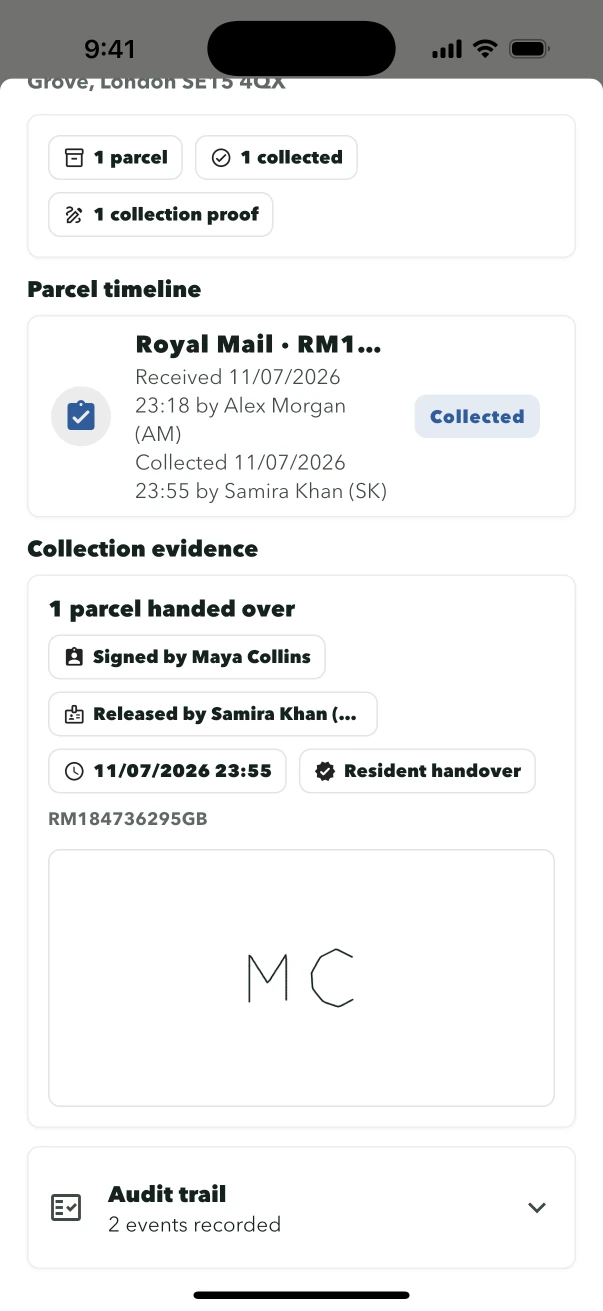
Waiting and collected parcels remain distinct, with collector, collection time and signature attached to the handover.
From arrival to resident
A focused mobile flow for a busy residential desk.
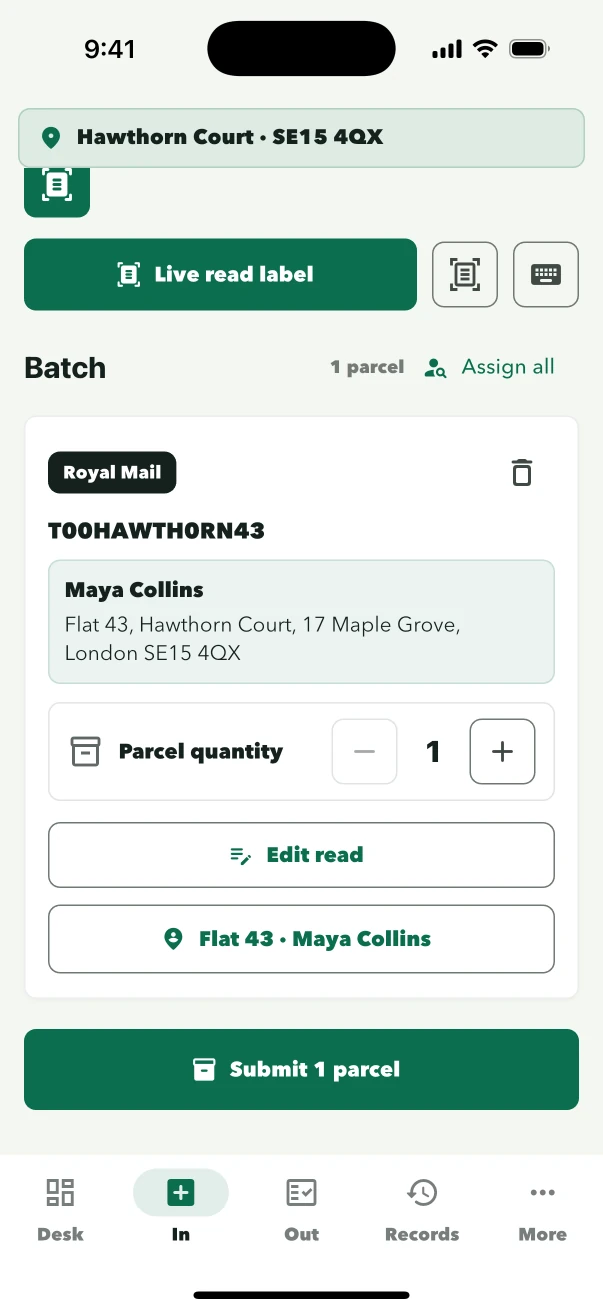
Staff confirm before saving and before releasing. Manual entry remains available when a label is unclear, and email notices are only used where the site's policy enables them.
Resident directory
Keep the parcel desk aligned as households change.
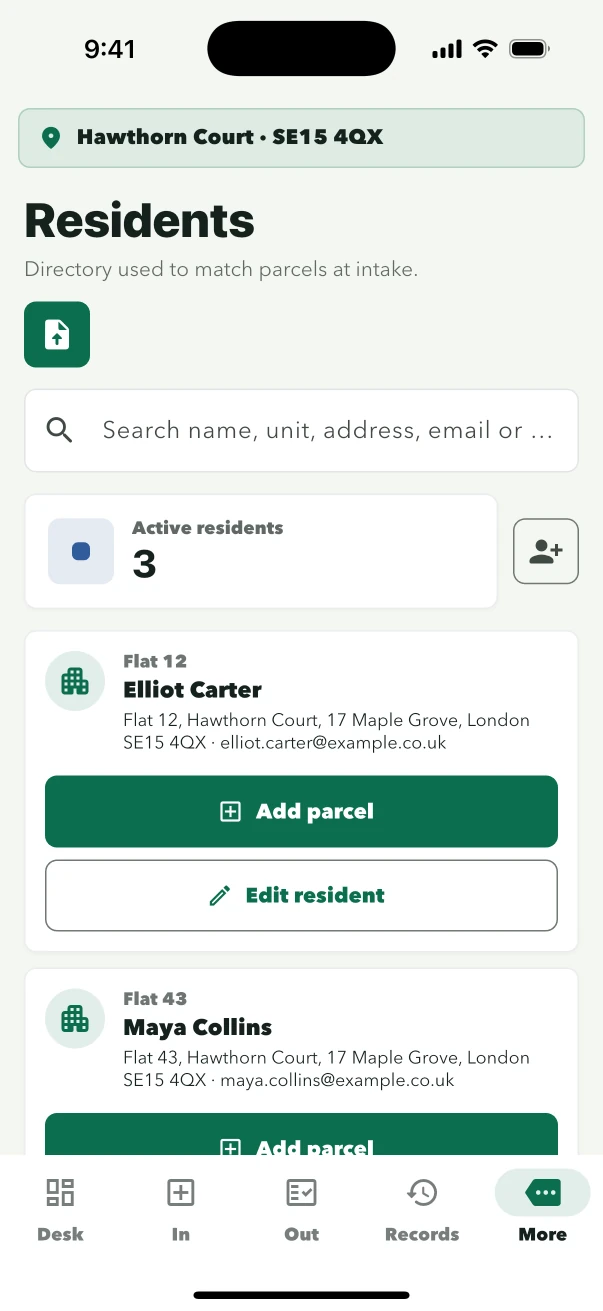
Authorised staff can add, update and deactivate resident records for the site. Parcel intake uses the active directory, and the final match is reviewed by staff before the record is saved.
Keep the person and residential unit visible during matching and collection.
Support shared households without turning a flat number into the only identity.
Choose a different resident when the suggested match is not right.
Email is only needed when the site chooses to send parcel notices.
Clear operating roles
Owner, building and staff access stay separate.
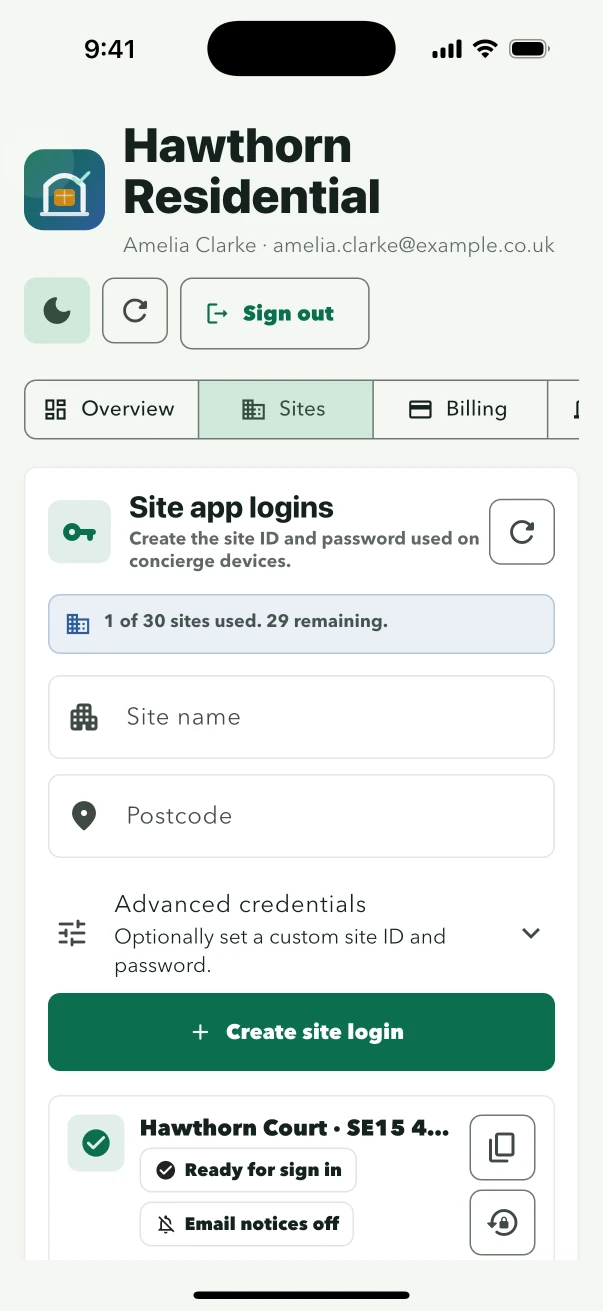
Billing and portfolio controls belong to the owner account. The reception device signs in to one site, then staff choose the profile used to attribute their parcel actions.
See site and staff access- Owner accountControls sites and authorised devices
Owners create building credentials, review plan capacity and manage account settings.
- Site loginOpens the building workflow
Each building has separate credentials for its reception device.
- Staff profileNames the person on duty
Staff switch profile inside the app when the shift changes.
Grow by site and device
Choose capacity for the operation you run now.
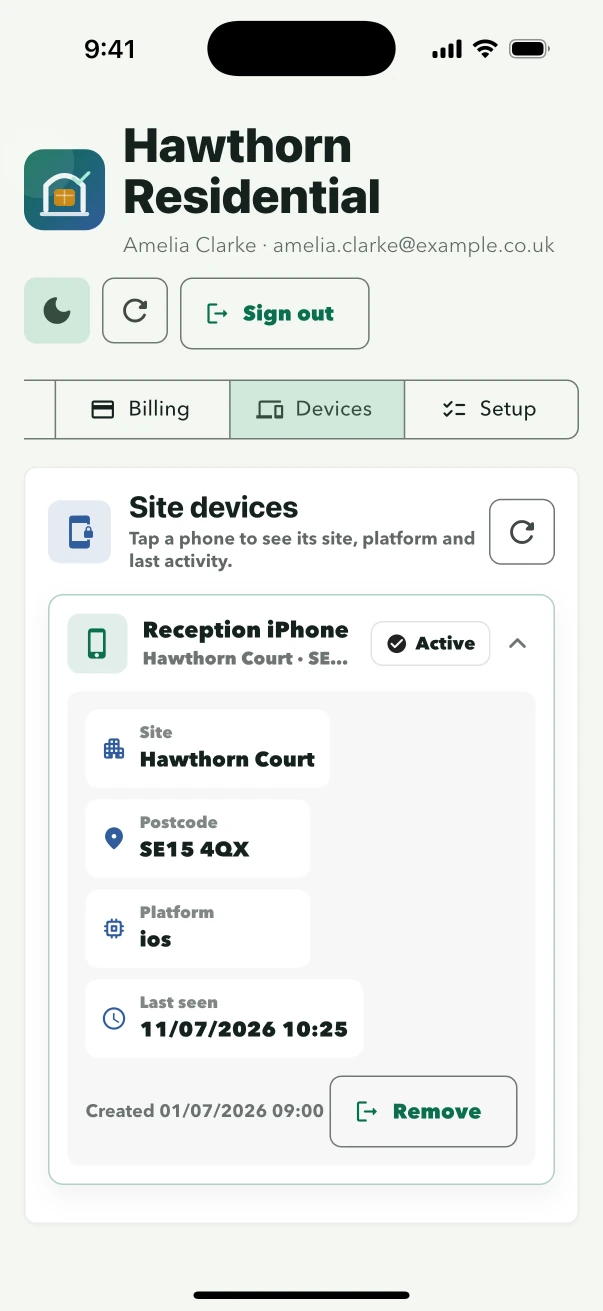
LobbyPost plans define the number of sites and authorised staff devices on the owner account. Each building keeps its own site access. The Cloud plan adds shared operational records between authorised devices for the same site, with scheduled daily and manual sync.
- Create each building
Issue separate site credentials rather than sharing owner access with reception.
- Authorise the working devices
Keep the device count aligned with the selected plan.
- Add cross-device sync when required
Use the Cloud plan where more than one authorised device needs the same site's current records.
Build to Rent questions
Plan the desk, the site and the portfolio.
How LobbyPost handles resident access, shift changes, email and multiple buildings.
Do BTR residents need a LobbyPost account?
No. LobbyPost is operated by the owner and authorised site staff. Residents can collect and sign at reception without installing an app.
Can different staff use the same reception device?
Yes. The device remains signed in to the site and the person on duty selects their individual staff profile inside the app.
Can each BTR site choose whether to send email notices?
Yes. Resident parcel email is controlled per site and is off by default. The parcel workflow continues normally when it is disabled.
Can one owner account manage several buildings?
Yes. The selected plan defines the available number of sites and authorised devices. Every building receives separate site credentials.
What does Cloud sync add?
The Cloud plan lets authorised devices for the same site exchange operational records through scheduled daily and on-demand sync. It does not combine residents or parcels between different sites.
Plan the rollout
Give the first site a complete parcel workflow.
Test the reception experience with a 30-day trial, or discuss site and device capacity with LobbyPost before a wider BTR rollout.